


INTERIOR DESIGN 3DCONVENIENT 3D DESIGN SOFTWARE FOR INTERIOR AND FLOOR PLAN
CREATION
- Built-in furniture collection
- 600+ materials for home decoration
- No professional skills required
3D Software for Interior Design Rendering in 5 Minutes
Interior Design 3D software is an easy-to-use and powerful program for interior design, house remodeling, and floor layout creation. Thanks to its handy tools, you can easily recreate your house blueprints or build the plan anew in both 2D and 3D view modes. This software features 600+ decoration materials, a huge built-in library of furniture items, and a set of sample plans to make home design rendering more enjoyable.
Inspiring Interior Examples for Your Home
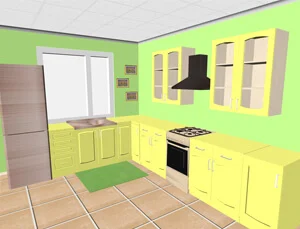
Model Your Cozy Kitchen
Draw yourself a new kitchen. The software will automatically calculate the measurements
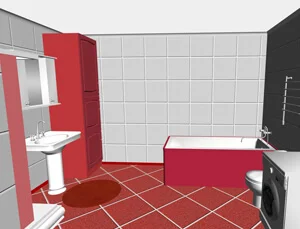
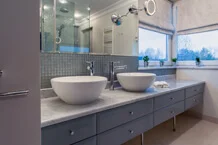
Decorate Your Bathroom
Use the extensive catalogue of 600+ decorative materials - tiles, wallpaper, any type of flooring
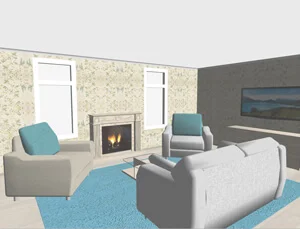
Explore Your Living Room
Take a virtual tour of your new living room to see if everything matches & there’s enough space
3 Reasons to Try This 3D Program for Interior Design
-
![Ease of use]() Ease of Use
Ease of UseThe smart software takes little time to master. It has a clear interface with on-screen prompts
-
![Built-in furniture]() Built-In Furniture
Built-In FurnitureWith over a hundred furniture items, you can furnish any room. All the furniture surfaces can be customized
-
![2D and 3D view]() 2D & 3D View
2D & 3D ViewView designs as flat drawings and as a visualization powered by 3D computer graphics
This computer-aided design software is not only a handy tool for 3D interior design or space renovation. It's also a fail-proof way to save both your time and money before the construction even begins. You no longer need to invite professional interior designers and architects whose services are never cheap. Experiment with room layouts and architecture styles as long as you like without spending a cent.
Ready to try your hand at designing spaces using 3D modeling?
Download your free trial now!
Compatible with Windows 11, 10, 8, 7
See Interior Design 3D in Action
This is a perfect choice for beginners because it is refreshingly easy to use - no stress, no learning curve!
Want to learn how to use its 3D modeling features? Watch this video:
Learn a Few House Planning Tricks



How to Create Your Dream House from Planning to Rendering
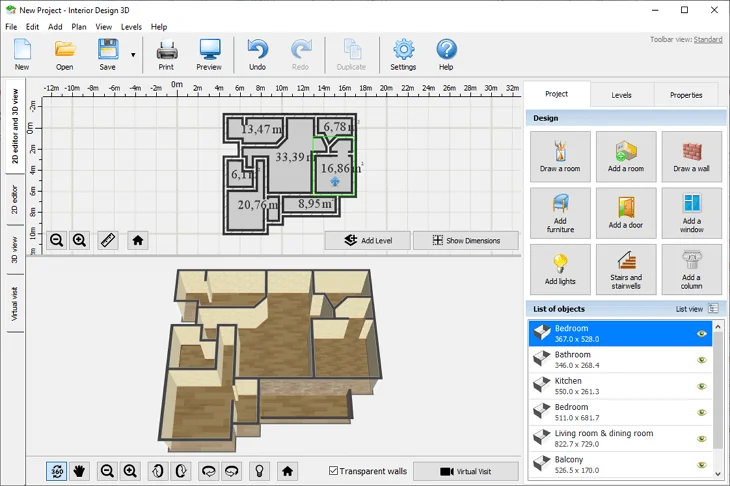
Import your blueprints to the software, draw a new plan from scratch, or use pre-designed templates
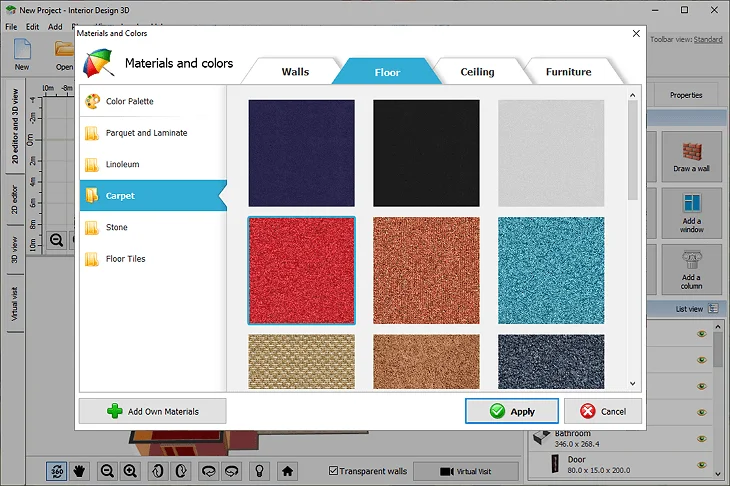
Pick decorative materials from the built-in library. Go with wallpaper, tiles, carpet, parquet, etc.
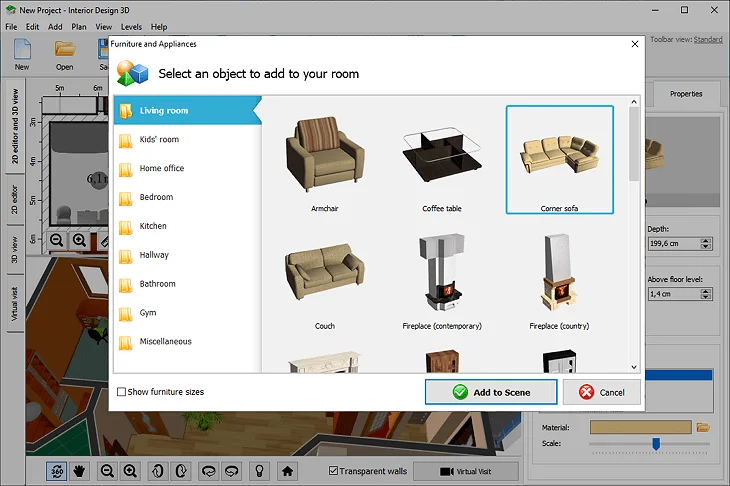
Customize each furniture item - pick a new color and texture for every surface, from cabinets to handles
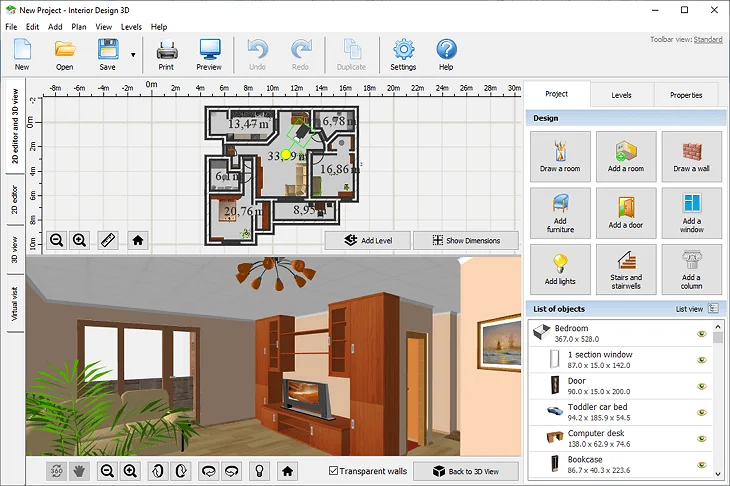
View your project in the 2D and 3D mode. Take a virtual tour of your future house to get the gist of it
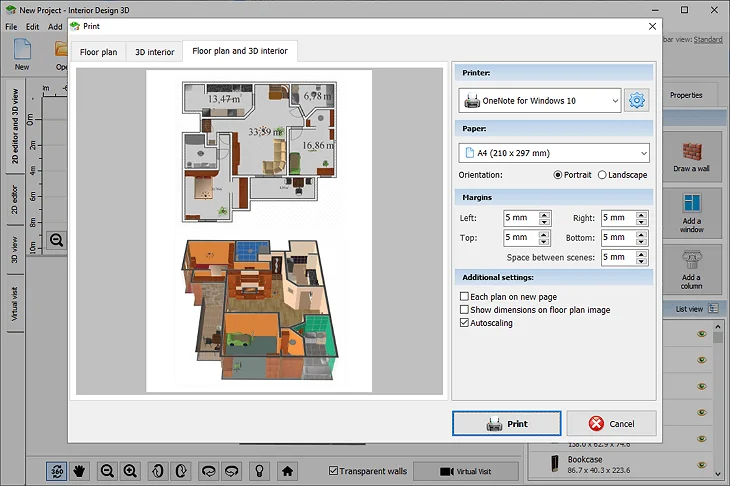
Print your floor plan. You can place both the 2D blueprints and the 3D model on one sheet of paper
Make your home design today! Download Interior Design 3D for free!
DownloadOnly 80 MBCompatible with Windows 11, 10, 8, 7
What Our Customers Say
-
Tracy Turner
Atlanta, GA, USA
We were planning our kitchen renovation and couldn't agree on the colors. Then my husband found this 3D program for interior design and we made some great-looking layouts right on our PC. We tried out different materials and finishes, and it was awesome to see it all live on the plan with the help of 3D rendering functionality. We came up with a design we both loved, with zero experience in this industry!
-
Keith Murphy
Perth, Australia
Tried other professional 3D interior design software and building information modeling programs before, but they were all too technical for me.
This one is just amazing - easy to use even for a novice. I'd recommend Interior Design 3D to everyone who wants to design their property without going through hours of photogrammetry tutorials. -
Debbie McDougal
Leeds, UK
Moved into a new house and thought of remodeling it. Came across this program, and let me tell you - this might be the best 3D rendering software for interior design for home use! Why I liked it is because of the level of realism and immersion the program provides. Plus, it’s easy, but PACKED with tools. Loved the realistic virtual walkthroughs - it’s thrilling to look at your new place from the inside!
Watch Tutorials That Will Tickle Your DIY Bone



Who Needs 3D Modeling Software for Interior Design
- Import your current house plan and recreate it with precision using the rendering software
- Choose furniture items and decor materials for walls, floor, and ceiling from extensive libraries
- Enjoy the real-time computer graphics - take a virtual tour to see if decoration and furnishing match
- Load your own materials, customize the texture of every surface and furniture piece to your liking
- Visualize your project with different types of lighting. Customize the color, intensity, and diffusion
- Swap standard doors for double ones or arches. Go for larger windows to let in more light
- Don’t hire a designer - generate a house design yourself using templates or your own imagination
- Save your project as PDF or print it with accurate dimensions to send to your contractor
- Comply a shopping list for furniture and dècor materials based on the dimensions in your project
FAQ
How to make 3D interior design on your PC?
First, download Interior Design 3D and install it onto your computer. Once you open the 3D software for interior design, choose a ready-made template or create a floor plan yourself. Then, add doors and windows, decide on the decoration materials. Finally, choose from the furniture 3D models and add some light fixtures.
How to draw house plans with minimum effort?
Upload your hand-drawn sketch and trace it using the software’s drawing tool or add pre-made rooms to your plan, then adjust their sizes. Alternatively, you can draw your house plan freehand if you know the dimensions.
How to decorate a small kitchen to make it bigger?
There’s a popular concept according to which light colors make spaces appear spacious. Smart lightning and inserting a mirror would also be great assets in decorating a small kitchen. Also, optimize the use of your space by following geometry principles, such as symmetry and the Golden Ratio.
What rendering styles can I create?
There are common architectural rendering styles like watercolor, oil painting, and other styles similar to popular decorative arts. But for client presentation and personal use, opt for photorealism in computer animation. It gives the sense of immersion and is easy to comprehend.
Can I use free software for professional projects?
Absolutely! With free 3D modeling software for interior design like Interior Design 3D, you can make top-level floor plans for both personal use and professional use. It lets you design a space with precision and present 3D projects to others with a virtual reality effect.
What hardware do I need for 3D rendering?
Interior Design 3D is compatible with Windows 11, 10, 8, and 7, so you can make your floor plans even on older computers. But there are programs with interior design rendering that utilize real-time ray tracing and 3D simulation techniques – they might require more powerful hardware.
What file formats does free software support?
Interior Design 3D lets you export your projects as pdf, png, jpg, bmp, and dae. Also, this software for interior rendering allows you to import your floor plans in various formats, including tiff, png, jpeg, and other common file types.