EN
EN
Best Space Planning Software 2026
 5.0
Votes: 4
(Rated: )
5.0
Votes: 4
(Rated: )

In this article, we’re going to review some of the best space planning software. So, what is a space planner, actually? It’s a dedicated program that lets you visualize interior design ideas. It offers lots of benefits, such tools help businesses to maximize the office space and set it up more effectively. Another perk is the ability to create spaces that best support common use cases in the workplace.
And this is not all! When it comes to personal use, space planners allow you to make sure furniture and decor perfectly fit a room. Long story short, when there’s no place for guesswork, it’s time to run a space planner!
This review of the top 8 programs will be useful for both beginners and professionals: interior designers, real estate agents, facilities managers, event agents, and so on. Below, you’ll find their key features, pros and cons, a comparison chart, and answers to some frequently asked questions. So, just in a couple of minutes, you’ll be able to discover a perfect space planner for you. Let’s get started right now!
Key Points
- What is space planning and why is it important?
- How to choose the best space planner software?
- InteriorBox 3D - Powerful software for everyone
- IKEA Home Planner - Easy web-based application
- MyFourWalls - User-friendly Mac software
- Room Planner - 3D space planner mobile app
- Plan7Architect - Pro-grade design software
- MagicPlan - Mobile & web-based space planner
- SketchUp - Software for manual space drawing
- HomeByMe - Intuitive home design program
- Space planning software comparison chart
- Which software should be your go-to choice?
- Frequently asked questions
What is Space Planning in a Few Words
Space planning is a way to make the best use of your property. It implies smart zoning, furnishing, and lighting arrangement to ensure an ergonomic feel of your place and smooth navigation in it. An efficient interior design plan prevents wasting of valuable space. It is equally important for your personal property and for your office. After all, the way your home or workplace is organized can directly affect your life and work routine.
There is space planning software used by real estate agents as well as architecture and engineering managers. However, you can find some user-friendly programs that let you make DIY projects like a pro. Let’s see what they’re like and which one works best for you!
Best Space Planners 2026 & Their Features
Before we get down to the software overview, let’s take a look at the criteria we’ve considered to list our top 8 3D space planners:
 Usability
Performance
Photorealism
Furniture catalog
Customization options
Drag and drop features
Why did we take them into account? First of all, these are the key features required for drawing and planning your home digitally. Secondly, there are lots of expensive interior design programs with features you overpay for without ever trying. For instance, cloud storage is hardly ever used but may require a monthly subscription. In other words, we ranked the programs keeping in mind what you’ll actually find useful.
InteriorBox 3D - Feature-Packed Software
InteriorBox 3D is a convenient computer program for full-circle home design - from floor plan creation to property furnishing. A nice alternative to costly professional designers, this software allows you to create apartments and multi-storey houses, as well as stand-alone rooms like kitchen, bathroom, etc. What’s more, it runs smoothly even on older computers.
InteriorBox 3D comes with 600+ decoration materials (from wallpaper to moldings) and a massive built-in furniture collection. With this software, you can import your hand-drawn plans, use preset templates, or draw a floor plan from scratch. The program is also a great space visualizer: you can view your project in 2D or 3D. If that isn’t impressive enough, get this: the space planning software enables live 3D walkthroughs that help you get the gist of your design. It is easy to master and grants you limitless customization opportunities.
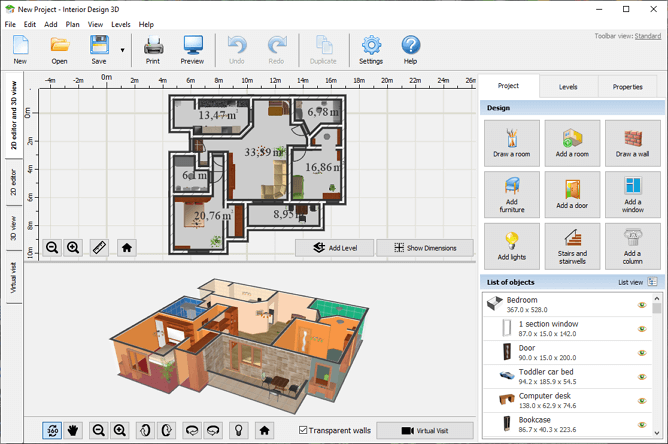
Easy-to-use software for creating floor plans and interiors
- 600+ decoration materials
- Immense furniture collection
- Virtual tour of your place
- Limited number of templates
Want to try your hand at space planning? Get started with InteriorBox 3D to explore its design tools and possibilities.
DownloadOnly 54.9 MBCompatible with Windows 11, 10, 8, 7
IKEA Home Planner - Minimalistic Web-Based Application
IKEA Home Planner is a web-based application developed by the Swedish retail giant. This is a free space planning tool that primarily focuses on designing a kitchen or a dining area. It allows you to customize the room’s size and shape, then decorate and furnish it.
Although IKEA Home Planner offers a limited library of decoration materials, the furniture catalogue is immense. Consisting exclusively of IKEA items, the furniture pieces can be easily customized and adjusted to your kitchen dimensions. A nice perk - this application compiles a shopping list of the items used, providing an estimate.
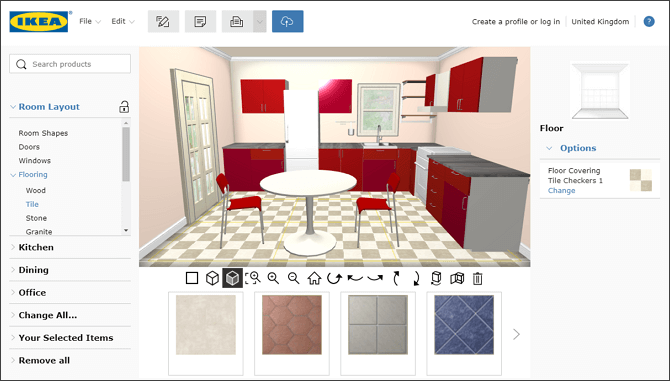
A web-based application with a clear interface and slightly limited functionality
- Clear minimalistic interface
- Rich furniture collection
- Realistic 3D rendering
- Includes only Ikea furniture
- No bedroom or bathroom planning
- Needs internet connection
Based on: https://www.houzz.com/does-ikea-kitchen-planner-actually-work
MyFourWalls - Inexpensive Mac-Based Software
MyFourWalls is affordable space planner software with all the essential tools. You can draw your property from scratch or use a template, then play with decoration materials. Drag and drop furniture from an extensive library into your space plan, adjust the size and color of every piece. View 2D and 3D modes together or separately.
Offering reasonable functionality for software of this price range, MyFourWalls might, however, struggle with customizing small details. But nonetheless, it’s a perfect fit for beginner interior designers who want to avoid a steep learning curve.
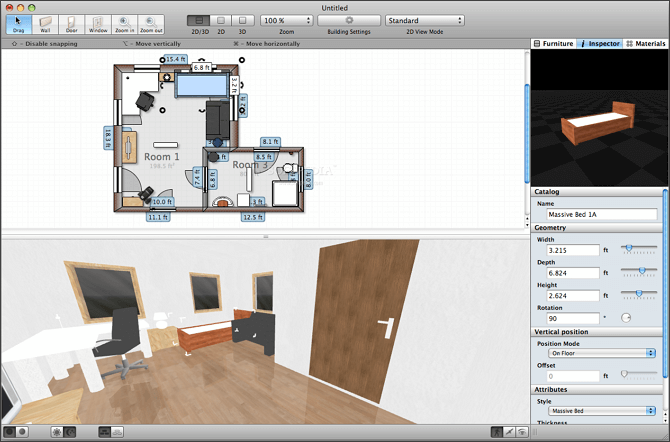
Intuitive and feature-rich program for Mac
- Easy to use and navigate
- Impressive furniture library
- 2D and 3D view modes
- Only available for Mac
- Lags when processing large projects
- Limited customization of small details
Based on: https://apps.apple.com/us/app/674010649
Room Planner - Convenient Mobile App
Room Planner is a popular app for space remodeling right on your mobile device (available for both Android and iOS). With this program, you get all the necessary tools for space planning, only on your phone or tablet – computers are not compatible with it. Draw your rooms, customize and decorate them. Use an extensive furniture library (including items by famous brands) to furnish your habitat.
While Room Planner is a great tool to create a 2D floor plan right on the go, its efficiency is questionable. After all, it’s hardly convenient to work on small screens when you are designing your house or apartment.
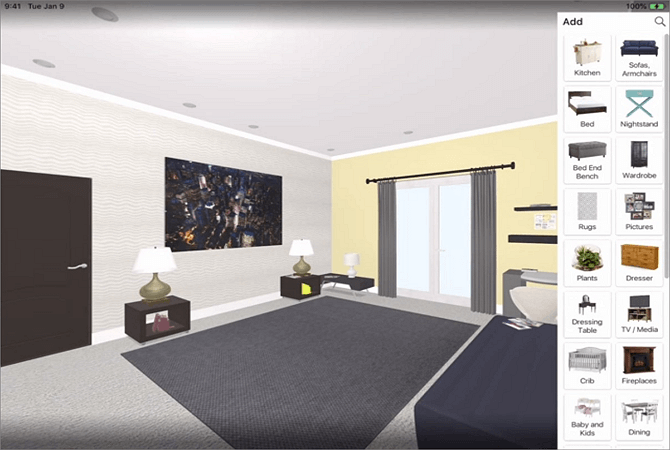
A convenient application for mobile devices
- Bugless performance
- Huge furniture collection
- Photorealistic rendering
- Requires weekly subscription
- No 3D or 2D floor plan exporting
- Unsuitable for large projects
Based on: https://www.reddit.com/r/interiordecorating/room_planner_app/
Plan7Architect
If you want to create design plans not just for personal use but also for cooperation with architects and builders, then try Plan7Architect. It lets you design spaces using drag and drop functionality and view your projects in 3D mode. In addition, there are landscape design functions for planning outdoor areas such as gardens, terraces, and carports. However, it’s quite difficult to use if you have no experience.
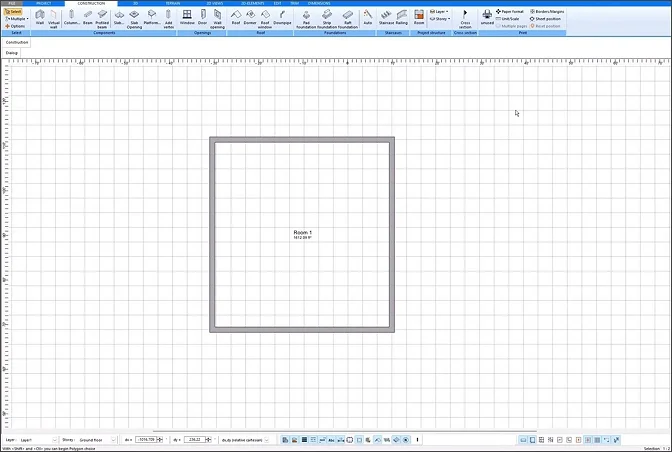
Design software for planning indoor & outdoor spaces
- One-time purchase
- High-end CAD systems
- Not suitable for beginners
- Requires a powerful computer
Based on: https://www.trustpilot.com/review/plan7architect.com
MagicPlan
To create a space plan within a browser, you can use MagicPlan. What makes MagicPlan stand out is its augmented reality feature called Scan with Camera. It scans and measures the room you’re in. The tool might work inaccurately, though, if the scanned room is furnished. Plus, some users say it’s a convenient tool for simple tasks but not suitable for professional planning.
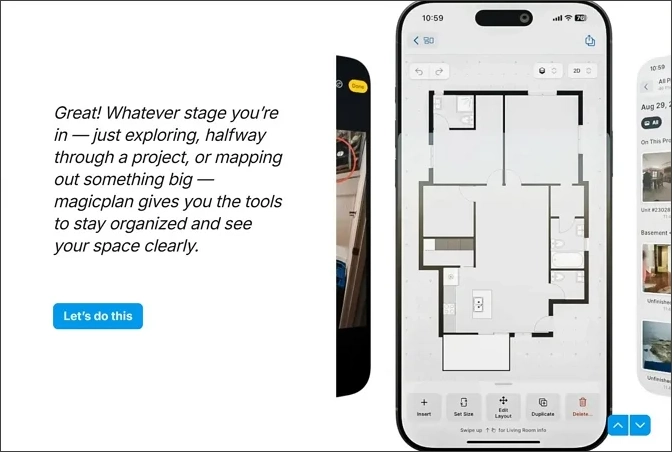
Program suitable for designing on the go
- Powerful AR tools
- Available for Android & iOS, too
- Only two free projects
Based on: https://www.capterra.com/p/210335/magicplan/reviews/
SketchUp
SketchUp is another popular space planner compatible with macOS computers. Here, you’ll find an extensive library of objects and unlimited cloud storage for your projects. But keep in mind its visuals are not as realistic if you don’t install additional plugins. Also, the designing process is mainly manual which might be an issue for non-experienced users.
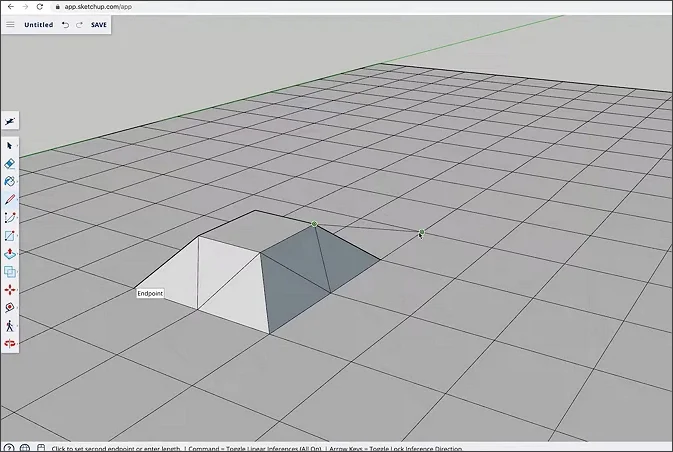
Space planner for seasoned users
- Vast library of objects
- No 3D walkthrough
- Difficult to master
Based on: https://www.g2.com/products/sketchup/reviews
HomeByMe
With HomeByMe, you can draw room plans online and on a smartphone. The good thing about it is that its furniture catalog contains items from actual brands. It also has a tool that furnishes a room automatically.
There are a couple of functions users find rather inconvenient. For starters, you can only add floors based on the bottom floor. The 3D mode has limitations as well – it doesn't let you customize the walls or preview more than one floor at a time. Still, it’s a handy tool for those who want to quickly make a room plan.
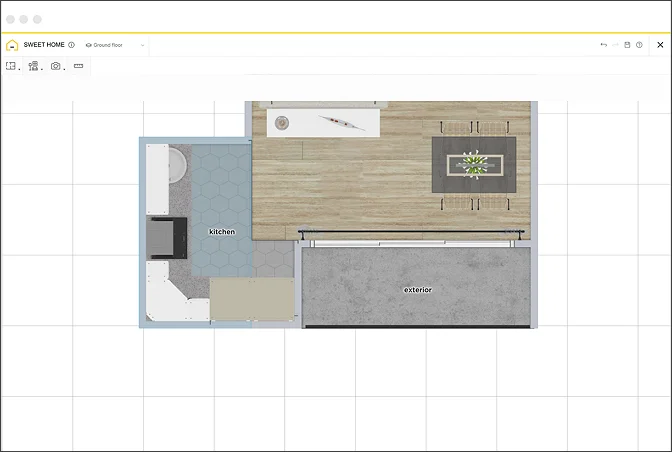
Software for quick space planning
- Lets you design an entire house for free
- Photorealistic designs
- Rendering takes a lot of time
- Editing limitations in the 3D mode
- Only 5 projects in the free version
Based on: https://www.g2.com/products/homebyme/reviews
Space Planning Software Comparison Matrix
We’ve made a comparison chart to sum up some key aspects of popular home design tools. We hope it’ll help you make the final choice. Let’s take a look at the table:


What is the Right Space Planning Software for You?
What is space planning if not the most vital part of any living space design? That’s why this important step requires suitable and efficient software. Now that we have reviewed a few space planning tools, we can clearly see that none of them are perfect. Some are buggy, some are restrictive when it comes to customization or the photorealism level of visualization. Nonetheless, all of them provide a fine space planning experience, depending on your personal needs.
If you are searching for a perfect balance of usability and efficiency, then InteriorBox 3D is your best choice for a space planning program. It combines limitless customization possibilities with a smooth workflow and an intuitive interface. Try InteriorBox 3D for free to see how truly convenient and feature-rich it is.
FAQ
How much does space planner software cost?
It directly depends on the software’s set of tools. There might also be additional paid functions: team collaboration, importing custom models, 3D printing, etc. If your budget is limited, you can try designing with a free space planning tool.
What's the best space planning software for real estate agents?
For real estate agents, it is important to choose software featuring custom branding, easy 2D creation, and 3D modeling. Their tool should also work bag-free so they can create projects with no hassle and maintain the professional reputation.
Can I use a space planning tool for workplace or office design?
Yes, it has many perks to offer to those who want to improve the current workplace or design their future office. For example, workplace design optimizes square footage utilization. Some floor plan software programs such as InteriorBox 3D also include office furniture in their catalog, so you don’t need to search for models and upload them yourself.
What's the difference between a web-based and desktop space planner?
Online tools usually require a stable Internet connection, offer collaborative modes, and might also have their own cloud storage. As for desktop software, they work offline, support various plug-ins, and are normally more powerful than Internet-based services. By the way, there are space planners that offer both online and desktop versions.
Do I need CAD experience to use a space planning tool?
No, you don’t need much experience in CAD (computer-aided design) since many dedicated space planning tools are beginner-friendly. For instance, InteriorBox 3D has an intuitive interface, so you don’t need any skills to smoothly create your home design. This is a good option not just for beginners – professional interior designers can create room layouts much quicker using such software.